Astroberry OS - Video Review #1

After 2 months from official release of Astroberry OS v3.0, we open a series of short video reviews of the system, it's functionalities and features.

After 2 months from official release of Astroberry OS v3.0, we open a series of short video reviews of the system, it's functionalities and features.
Astroberry OS for PC is ready for download! Now you can run Astroberry OS on your miniPC or any device which supports amd64/x86_64 platform. You can boot it from USB stick before you decide to install it. It took dozens of hours to port Astroberry OS to PC.
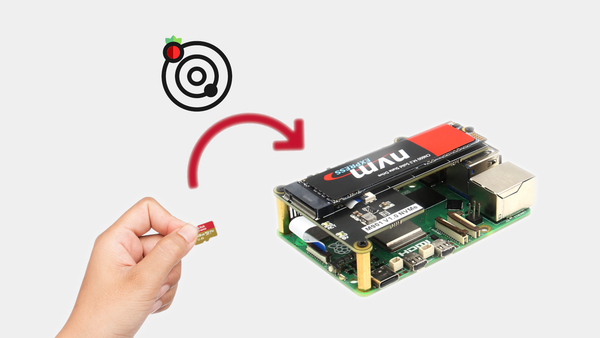
Astroberry OS for arm64 is provided as a system image file dedicated for microSD cards. Meanwhile, many users upgrade their systems with SSD/NVMe HATs which provide increase in performance and reliability. Most of them ask the question How to copy Astroberry OS from micro SD to external drive? The
New release of Astroberry OS has just landed! What's new * Update to INDI core 2.2.1.1 * Update to 3rd party libs and drivers * Update to Astroberry Manager 1.2 * Update to AstroDMX 2.17.2 * New apps: Stellarsolver GUI, ASTAP GUI, SD Card Copier * Remote desktop
For years, we’ve helped the astronomical community run on the power efficiency of the Raspberry Pi. But what happens when your setup doesn't use a Pi? We are thrilled to announce that we are actively porting and heavily testing Astroberry OS for amd64 architecture! This means we’